One content store, two ways in: a dashboard for writers, files in your repo for engineers.
Quillet is a self-hosted headless CMS. Every save keeps a version, publishing is a deliberate act, and your site reads only what is published, through a key that can only read.
One server, two doors
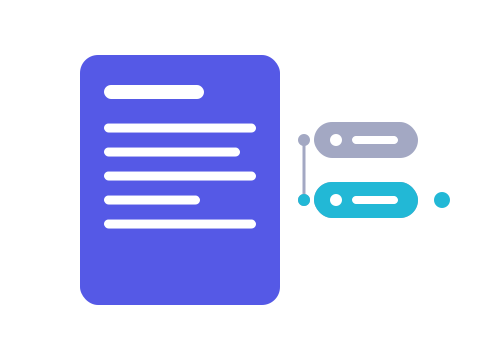
Quillet is one server in one Docker image. The dashboard, the command line and your own scripts write through the management API at /api/v1, each with a credential of its own. Your site reads through the delivery API at /d/v1, which serves published content and nothing else.
The six parts that make up Quillet
Six parts of Quillet, each in a sentence or two. Each title links to the Concepts page that says why it works the way it does.
Write and publish
Every save adds a version and keeps the ones before it. Readers see nothing new until someone publishes.
Components and pages
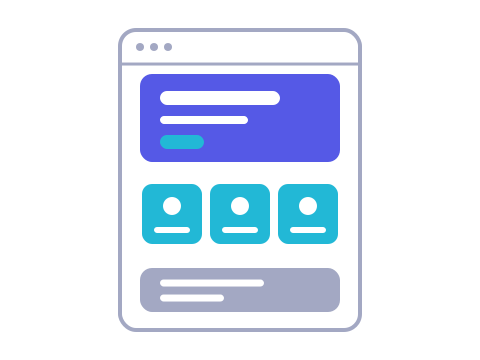
A component describes a shape once, as JSON Schema. A save that does not fit is refused, and a page is built from blocks that do.
Locales
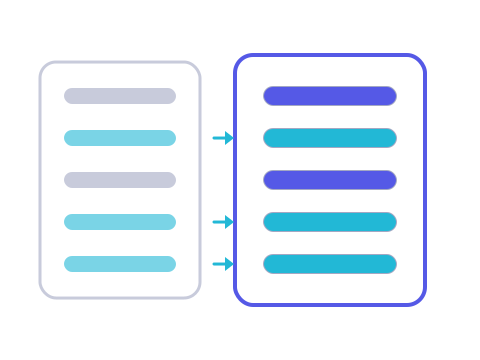
A translation holds only the fields it translates. Every other field comes from the default locale, so a page never shows a blank.

Media
Upload a file once and use it in every environment. A photo can be asked for at set widths, in WebP or AVIF.
Environments and promotion
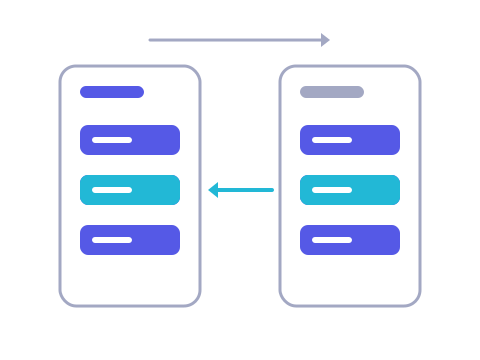
Clone an environment, work in the copy, then compare the two and promote only the changes you choose.
Delivery and webhooks
Your site reads published content from a cache, with ETags and 304s. A webhook names what was just published; your site decides what to refetch or rebuild.
Where to start
I write and publish content
Sign in to the dashboard, find a document, change it, preview it and publish it, all without a terminal. The first-day tour names every button on the way.
I run Quillet and build the site
Start the CMS with Docker Compose, publish one page and render it from your own code in about fifteen minutes. Then model your content and read it with the SDK.
Run it on your machine
Save this as docker-compose.yml: the CMS, a one-node Mongo replica set, Redis and a volume for files, with a comment above every line. Put SESSION_SECRET and WEBHOOK_SECRET_KEY in a .env file beside it, run docker compose up -d, and the dashboard is at http://localhost:3000. The file is for a laptop; the guide covers a server.
# Quillet 1.1 on one machine: the CMS, Mongo, Redis, a volume for files.
# The two secrets come from the .env file beside this one, which Compose reads by itself.

# The CMS's settings, shared by `migrate` and `cms` below.
x-cms-env: &cms-env
  # Mongo, as a replica set: the CMS needs transactions.
  MONGO_URI: mongodb://mongo:27017/quillet?replicaSet=rs0
  # Sessions, rate-limit counters and the delivery cache.
  REDIS_URL: redis://redis:6379
  # Signs the session cookie: 32 characters or more, from .env.
  SESSION_SECRET: ${SESSION_SECRET:?set it in .env}
  # Seals webhook secrets: 32 bytes, base64, from .env. Required.
  WEBHOOK_SECRET_KEY: ${WEBHOOK_SECRET_KEY:?set it in .env}
  # The address the browser uses, port included.
  BASE_URL: http://localhost:3000
  # Lets the first account sign up. Set it to closed once your team is in.
  AUTH_REGISTRATION: open
  # Uploaded files go to a directory rather than a bucket...
  ASSET_BACKEND: disk
  # ...this one, inside the container: the `assets` volume.
  ASSET_DISK_ROOT: /data/assets

# Six containers. Three run once and exit: mongo-init, assets-init, migrate.
services:
  # The database.
  mongo:
    # Mongo 7; any later version works too.
    image: mongo:7
    # Start as a member of the replica set rs0.
    command: ["--replSet", "rs0", "--bind_ip_all"]
    # Healthy once it answers a ping,
    healthcheck:
      # which is this command,
      test: ["CMD", "mongosh", "--quiet", "--eval", "db.adminCommand('ping').ok ? 0 : quit(1)"]
      # tried every five seconds,
      interval: 5s
      # each try failing if it takes longer than five,
      timeout: 5s
      # unhealthy after twenty failures in a row,
      retries: 20
      # not counting any in the first ten seconds.
      start_period: 10s
    # Keep the data when the container is replaced:
    volumes:
      # Mongo's data directory, on the named volume `mongo-data`.
      - mongo-data:/data/db

  # Runs once: makes the lone Mongo a one-node replica set.
  mongo-init:
    # The same image, for its shell.
    image: mongo:7
    # Wait for the database
    depends_on:
      mongo:
        # to answer its ping.
        condition: service_healthy
    # Try again if Mongo was not ready yet.
    restart: on-failure
    # Run one line of Mongo shell...
    entrypoint: ["mongosh", "--host", "mongo:27017", "--quiet", "--eval"]
    # ...which initiates the replica set unless that is already done.
    command: ["try { rs.status() } catch (e) { rs.initiate({ _id: 'rs0', members: [{ _id: 0, host: 'mongo:27017' }] }) }"]

  # The cache and the session store.
  redis:
    # Redis 7. Nothing in it needs to survive a restart: losing it signs everyone out, nothing more.
    image: redis:7

  # Runs once: a new volume belongs to root, and the CMS runs as `node`.
  assets-init:
    # The CMS image, which has the `node` user.
    image: iegork/quillet:1.1
    # As root, for this one command:
    user: "0"
    # give the files directory to `node`.
    entrypoint: ["chown", "node:node", "/data/assets"]
    # The volume the CMS writes files to,
    volumes:
      # mounted where ASSET_DISK_ROOT points.
      - assets:/data/assets

  # Runs once: builds Mongo's indexes before the CMS takes traffic.
  migrate:
    # The CMS image.
    image: iegork/quillet:1.1
    # The index migration. Safe to run again on every start.
    command: ["node", "apps/api/dist/.scripts/scripts/migrate.js"]
    # The same settings as the server.
    environment: *cms-env
    # It checks the files directory on start, as the server does,
    volumes:
      # so it mounts the same volume.
      - assets:/data/assets
    # Only after
    depends_on:
      # the replica set exists
      mongo-init:
        condition: service_completed_successfully
      # and the files directory is writable.
      assets-init:
        condition: service_completed_successfully

  # The CMS: the dashboard, the management API and the delivery API.
  cms:
    # Quillet CMS 1.1 from Docker Hub. Move to a new tag deliberately.
    image: iegork/quillet:1.1
    # Come back after a crash or a reboot.
    restart: unless-stopped
    # A stop waits up to fifteen seconds, longer than the CMS's own ten-second drain.
    stop_grace_period: 15s
    # Published on the host
    ports:
      # at http://localhost:3000.
      - "3000:3000"
    # The settings at the top.
    environment: *cms-env
    # Uploaded files
    volumes:
      # live on the `assets` volume.
      - assets:/data/assets
    # Start only once
    depends_on:
      # the indexes are built
      migrate:
        condition: service_completed_successfully
      # and Redis is running.
      redis:
        condition: service_started

# Named volumes, kept until `docker compose down -v`.
volumes:
  # Mongo's data.
  mongo-data:
  # Uploaded files.
  assets:
Publish your first page
The quick start goes from an empty folder to a page published in Quillet and rendered by your own code. This site is built the same way: the words on it are published from a Quillet dashboard.